faceless video automation
Automate faceless video production without skipping review
Create a repeatable series, prepare videos on a schedule, and keep a human approval point before anything reaches a connected channel.
Who this workflow fits
- Creators publishing a recurring series
- Small teams managing several channels
- Operators who want fewer manual handoffs
From input to approved video
- 01
Define the series topic and publishing cadence
- 02
Generate a content plan and draft videos
- 03
Review scripts, visuals, captions, and metadata
- 04
Approve a schedule for connected channels
Separate generation from publishing
A safer automated workflow creates a queue of reviewable drafts. It does not treat a successful render as permission to publish.
AriaFlow makes the approval boundary visible so a wrong fact, awkward pronunciation, or unsuitable image can be corrected first.
Use a repeatable series brief
Document the audience, topic boundaries, voice, visual style, length, and cadence once. Reuse that brief across the series, then adjust individual videos when the subject needs it.
Verified product evidence
Reviewed recurring-series case
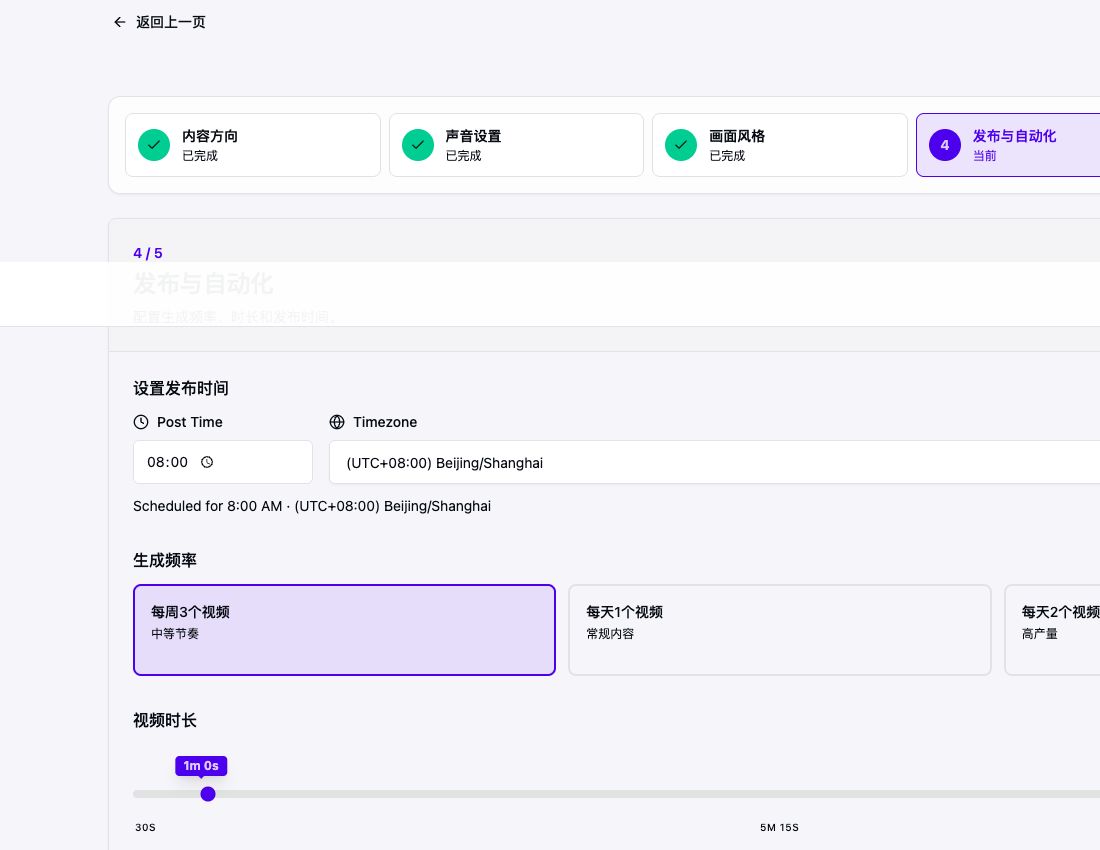
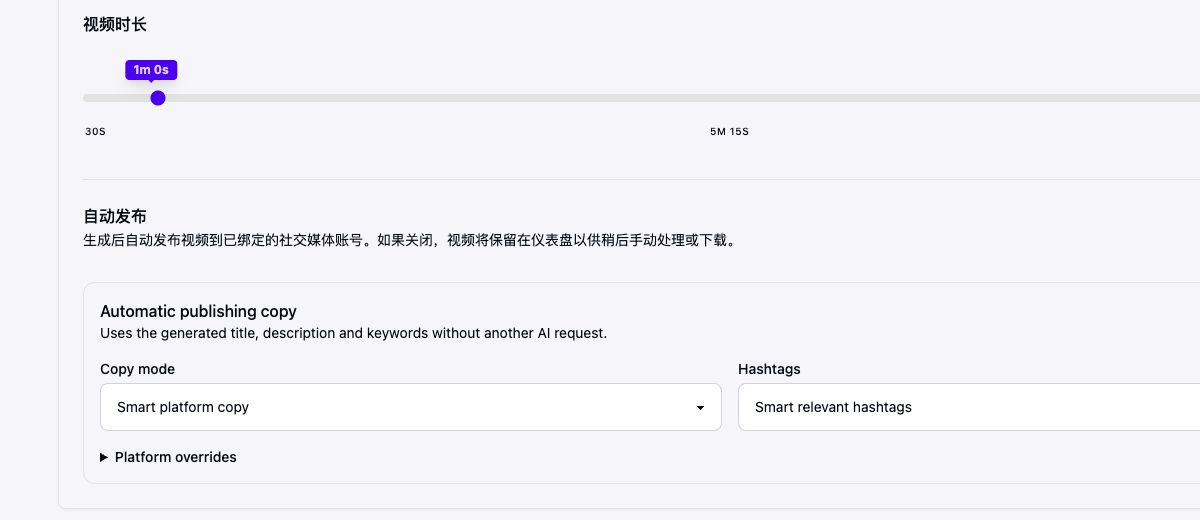
The public history example was produced from a repeatable faceless series brief. Topic, voice, visual direction, aspect ratio, and cadence were set first; the individual narration and scenes were reviewed before the finished video was published.
Last verified
Before
Loose instruction: make recurring history videos and post them automatically.
After review
Reviewable configuration: defined topic boundary, scheduled time and timezone, explicit frequency and length, editable publishing copy, and per-platform overrides.
Account and platform requirements
- Each destination requires a valid connected account and current authorization.
- The channel owner remains responsible for platform rules, rights, and final approval.
- Availability can depend on platform API review, account type, and permissions.
Practical limits to review
- Platform review and API policies still apply
- Automation does not replace editorial or rights checks
- Connected accounts can require reauthorization
Frequently asked questions
Can I review the video before it is published?
Yes. AriaFlow keeps generation and publishing separate so you can review the script, visuals, voice, subtitles, and schedule first.
Do I need to appear on camera?
No. The workflow combines a script, AI narration, generated or selected visuals, subtitles, and music without requiring a camera recording.
Can AriaFlow auto-post videos?
Yes. You can connect supported YouTube, TikTok, Instagram, and X accounts, then review and schedule approved videos.
Create a reviewable faceless video
Start from an idea, script, or URL. Review the draft before you download, schedule, or publish it.
Create a faceless video