URL to faceless video
Turn a URL into an editable faceless video
Give AriaFlow a public source, review the extracted story, and turn it into a narrated video without copying a page into five different tools.
Who this workflow fits
- Publishers repurposing useful articles
- Educators turning references into explainers
- Creators who want a source-led first draft
From input to approved video
- 01
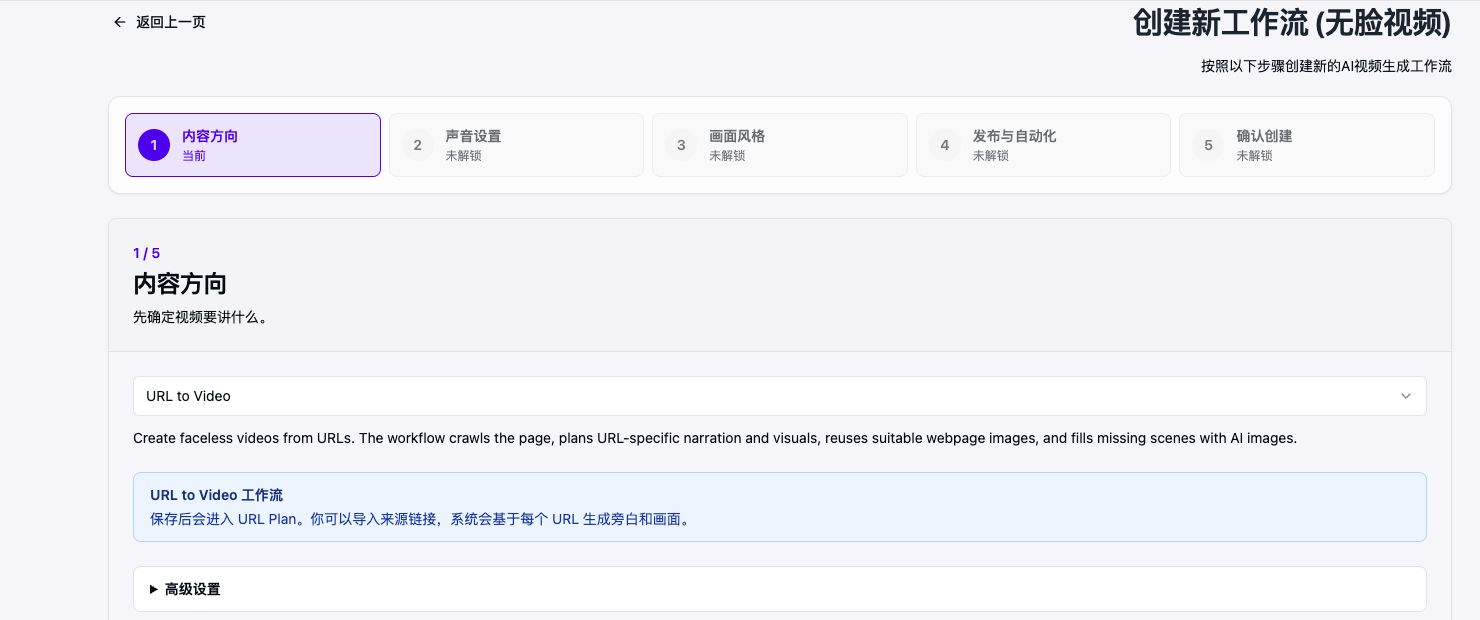
Paste a public URL and confirm the source
- 02
Review the extracted outline and narration
- 03
Choose visuals, voice, subtitles, and format
- 04
Render, review, then download or schedule
Keep the source visible during review
URL conversion should not hide where the ideas came from. AriaFlow keeps the source attached to the draft so you can compare the narration with the original before rendering.
The goal is a spoken adaptation, not a line-by-line copy. Tighten the opening, remove page furniture, and make each scene understandable without the article on screen.
Build a video around the argument
A useful article usually has one central claim and several supporting details. The workflow turns that structure into a hook, a sequence of scenes, and a clear conclusion.
- Use the strongest factual detail in the opening
- Give each scene one visual responsibility
- Add attribution where the source or license requires it
Verified product evidence
Public URL-to-product-video case
The EnsembleData explainer began with a public product page. The source was converted into a short English narration, paired with product-led visuals, rendered in 16:9, and then checked against the original page before publication.
Last verified

Before
Raw source: a public product page containing navigation, feature copy, and details that do not all belong in a spoken video.
After review
Reviewed configuration: URL to Video input, one product claim per scene, an English voiceover, 16:9 output, and a final comparison with the source before rendering.
Account and platform requirements
- The source URL must be public and readable without a login.
- You must have permission to adapt the source text and any reused media.
- A connected social account is needed only when you choose direct publishing.
Practical limits to review
- Paywalls, private pages, and blocked crawlers can prevent extraction
- You remain responsible for permission, attribution, and factual review
- Complex tables and interactive pages may need manual script edits
Frequently asked questions
Can I review the video before it is published?
Yes. AriaFlow keeps generation and publishing separate so you can review the script, visuals, voice, subtitles, and schedule first.
Do I need to appear on camera?
No. The workflow combines a script, AI narration, generated or selected visuals, subtitles, and music without requiring a camera recording.
Can AriaFlow process every URL?
No. The page must be publicly reachable and readable. Login walls, aggressive bot protection, or unsupported media can require you to paste a script instead.
Create a reviewable faceless video
Start from an idea, script, or URL. Review the draft before you download, schedule, or publish it.
Create a faceless video